Claude Code Subagents: How Delegation Saves Your Usage Limit
Hand Claude a task, and it doesn't just read the one line you typed. It also reads everything you talked about earlier and every file it opened along the way. This bundle of information it keeps in view while writing an answer is called context. Claude Code opens files mid-conversation too, so both the chat history and everything it read end up in that bundle.
You open one file at first, but the more you ask it to go dig something up, the more piles on. Claude Code rereads the whole pile every time it writes its next answer. A token is the unit that measures how much text an AI reads and writes. The bigger the context, the more tokens even a simple question costs, and the faster your usage limit drains.
This is where a subagent comes in: a separate helper Claude can hand a task to. It reads material in its own space and hands back only a summary, so the digging never piles up in your main conversation. This post walks through why that matters, the subagents that ship by default, how to build your own, and how to run a whole team of them working together.
- Subagent
A subagent is a separate AI helper that Claude delegates a specific task to. It works with its own conversation space and its own set of tool permissions, then returns only the result.
This post is current as of August 24, 2026, on Claude Code 2.1.241. Agent teams are an experimental feature, so expect it to change faster than the rest.
Context: the conversation and files Claude rereads every time
Picture replying to a long email thread. You don't just glance at the most recent line, you scroll back through everything above it and whatever got attached along the way. A Claude Code conversation works the same way. Every time you ask for one more answer, it rereads the conversation so far and every file it opened in between.
So the moment you open a log file mid-conversation, that content tags along for every message after. It stays inside the context even if you never look at it again. That's why your usage limit is already down by the time you actually sit down to write or edit a file, after a long stretch of digging through sources.
Subagents: getting a summary instead of doing the digging yourself
A subagent breaks that cycle. Hand it a task and it opens files and works through the material in its own space. When it's done, only one bundle, its summary, comes back into your conversation. Whatever it opened along the way doesn't follow it back.
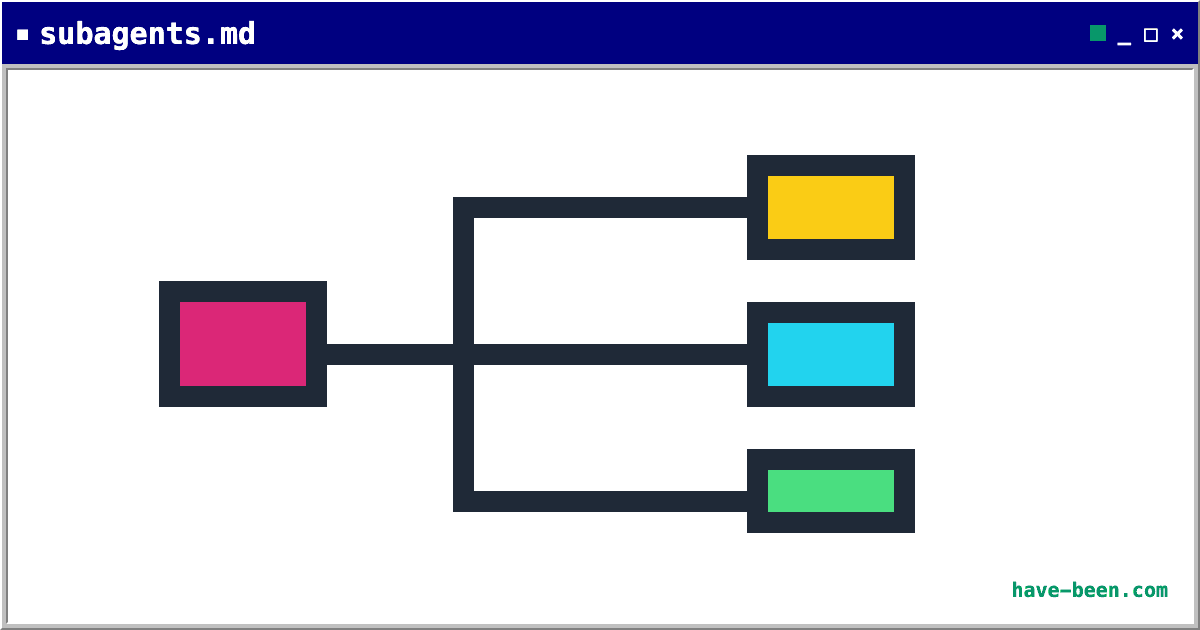
A subagent works in a separate space and hands back only a summary. The digging it did never piles up in your conversation.
Think of it like asking a research assistant to dig something up. Even if that assistant pulls thirty books off a library shelf, what lands on your desk is a one-page report. The thirty books never make it to your desk. Anthropic's own guidance points to subagents for exactly this: search results, logs, and other material you won't need to revisit once it's been read.
If you're on a plan where the usage limit runs tight, this is a real saving.
Claude Code ships with subagents built in. Claude calls them on its own whenever it judges one is needed. Knowing the default lineup first makes it easier to see when a separate helper is actually stepping in.
The default lineup: three built-in subagents
Read-only means it can find and read files, but can't change them. Plan mode is a state where Claude investigates what to do and how before touching anything. Keep those two terms in mind and the table below reads clearly.
| Name | Nature | When Claude calls it |
|---|---|---|
| Explore | Read-only, fast | Finding and understanding code or material, nothing more |
| Plan | Read-only | Investigation needed while in plan mode |
| general-purpose | Full read and write | Both finding something and fixing it are needed |
Explore and Plan deliberately skip CLAUDE.md and the state of your repository. CLAUDE.md is the project brief Claude is supposed to follow. Repo state means information about which files currently have pending changes. Reading that material for a task that's only investigation would cost extra tokens for no benefit. Every other subagent reads both.
Explore also comes with a depth setting. Pin down something specific and it runs quick, a moderate scope runs medium, and combing through everything runs very thorough. Claude picks whichever of the three fits the job it's handing off.
Building your own: one configuration file
If you keep handing off the same kind of task, you can build a subagent of your own. All it takes is a single markdown file. Markdown is the plain-text format this post itself is written in, headings and body text marked up with a few simple symbols.
In the path below, ~ stands for your account's home folder. The .claude/agents/ folder inside it is where Claude Code looks for subagent configurations.
~/.claude/agents/code-reviewer.md
Create a file named code-reviewer.md in that folder with the content below.
---
name: code-reviewer
description: Reviews code quality and best practices. Use after writing or modifying code.
tools: Read, Glob, Grep
model: sonnet
---

You are a code reviewer. Focus on readability, missing error handling,
and whether any tests need updating alongside the change.
Report each finding with a severity rating.The settings for this helper go between the two --- lines at the top. Everything below that is the actual instructions for how it works. Let's go through the four settings one at a time.
name is this subagent's identifier. Not the filename, this value is what actually identifies it.
description states what it does and when to call it. Claude reads this line to judge whether the task at hand matches. So don't just describe what it does, write in a trigger like "use after writing or modifying code" so Claude calls it at the right moment.
tools limits which tools it can use. The example above only grants read-related tools, so this subagent can't touch a single file. If all you want is a review, it's safer to block editing from the start.
model sets which AI model handles the work. Route simple tasks to a cheaper model and you save exactly that much. The official documentation lists cost control as one of the benefits of subagents too.
Once you save the file, it's picked up within seconds, no restart needed. The one exception: if the ~/.claude/agents/ folder itself didn't exist when the session started, you'll need to restart.
Put it in ~/.claude/agents/ and it's available in every project. Put it in .claude/agents/ inside the project you're currently working on, and it's scoped to that project only.
Not thrilled about hunting down the path and writing the file by hand? Ask Claude directly: "build me a subagent that reviews code," and it writes the file for you. The old /agents creation wizard is gone.
Agent teams: parallel work that talks to itself
Parallel work means running several tasks at the same time instead of finishing one before starting the next. If you searched for parallel agents to get here, this is the section you were looking for.
A subagent reports back once its work is done, and subagents don't talk to each other. When you need several helpers working at once who can also compare notes, that's what agent teams are for.
Turning it on: an experimental feature off by default
Start with a warning. Agent teams are experimental and off by default. Turning it on means adding this to your settings.
{
  "env": {
    "CLAUDE_CODE_EXPERIMENTAL_AGENT_TEAMS": "1"
  }
}JSON is a format for writing settings names and values inside curly braces. The block above goes in Claude Code's settings, not in the chat window. If handling a settings file directly feels like a hassle, just ask Claude to turn on the agent teams experimental feature and hand it this value.
Once it's on, you can ask for what you want in plain language. For example:
Spawn three teammates to look at this problem from three angles.
One takes user experience, one takes technical architecture, and one plays devil's advocate.
Where the payoff is: parallel review of the opposing view
The value of an agent team comes down to "the opposing view." Investigate things in order and you tend to get pulled along by whichever theory surfaced first. Once one explanation looks plausible, everything you research after tends to bend toward confirming it. Put several investigators to work at the same time, each pushing back on the others' theories, and the story changes. A theory that survives being challenged is more likely to actually be true.
This is especially useful when you're stuck on a problem where the cause isn't obvious.
Cost and constraints: roughly seven times the tokens, one team per session
Teams are expensive, though. An instance is one independently running copy of Claude. Since each teammate runs its own instance, token usage scales with headcount. The official documentation states that a team running in plan mode uses roughly seven times the tokens of a regular session.
Idle means a teammate that isn't working and is just waiting. It still burns tokens in that state. That's why you should clean up a team once the work is done.
The recommended size is three to five people. The documentation puts it this way: "three focused teammates often outperform five scattered ones."
It's still an experimental feature, so a few things are blocked for now. Check the constraints below before turning it on.
- Resuming a session doesn't bring teammates back.
/resumeand/rewinddon't restore them. If a resumed lead tries to talk to a teammate that no longer exists, just tell it to spawn a new one. - A session has exactly one team. You can't create multiple teams or share a team across sessions.
- Teammates can't spawn their own teammates. Only the lead manages the team.
- Task status can lag. A teammate sometimes fails to mark a task complete, which blocks whatever depends on it. If something looks stuck, check whether the work actually finished and fix the status yourself.
- Splitting teammates into separate panes needs tmux or iTerm2. VS Code's integrated terminal, Windows Terminal, and Ghostty don't support split panes. The default, running everything inside one terminal, works anywhere.
Deciding which to use: from chat to a full team
Line up the three options side by side and it looks like this.
| Plain chat | Subagent | Agent team | |
|---|---|---|---|
| Token cost | Baseline | Low (only a summary comes back) | High (scales with headcount) |
| Talk to each other | N/A | No | Yes |
| When | Work that proceeds step by step | Work that means digging through a pile of material | Hard problems where perspectives differ |
Here's the order I'd reach for. Plain chat covers most of it. Once digging through material starts piling up, bring in a subagent. Save agent teams for problems where the cause isn't clear or you genuinely need several perspectives checked against each other. Using a team for routine work is just waste.
Teams don't suit work that has to happen in sequence. The same goes for several people editing the same file, or work where the next step can't start until the previous one finishes. The official documentation recommends a single session or subagents for that kind of work too.
I started using subagents because of dead time. Running tasks one after another in sequence meant constant stretches of waiting for one to finish before the next could start. So I split off the fetching and researching into a separate agent. I set up one track for writing and a separate one for fact-checking. Once the waiting overlapped instead of stacking up, the total time dropped.
Reaching for a full team turned out to be rarer than I expected, though. Most of it wrapped up at the subagent stage.
Fixing problems: calls, duplicates, and visibility
Call problems: description and restarts
Claude won't call the subagent you built. This is almost always a description problem. If it only states what the subagent does and not when to use it, the match doesn't fire. Try adding a trigger, something like "use after writing or modifying code."
A newly created file isn't picked up. If the ~/.claude/agents/ folder didn't exist when the session started, you need to restart. If the folder already existed, it's picked up within seconds.
Names collide. If name collides with another file in the same folder, only one gets loaded. Run /doctor and it flags the collision.
Team visibility: idle rows and errors
A teammate isn't showing up. Once every teammate in the panel goes idle, those rows hide after 30 seconds. As long as even one is still working, nothing hides. It isn't gone, just hidden. Send it a message by name and the row comes back. Once more than three are idle, the extras collapse into a single line reading how many are idle.
A teammate got stuck on an error. Select it to open its transcript, give it direct instructions, or spawn a fresh teammate to pick up where it left off.
- A subagent works in a separate space and hands back only a summary. The digging it did doesn't pile up in your conversation, so your usage limit lasts longer.
- Three ship by default: Explore (read-only), Plan (investigation in plan mode), and general-purpose (full read and write).
- Explore and Plan deliberately skip CLAUDE.md and repo state to keep investigation cheap.
- Building your own takes one file at
~/.claude/agents/name.md. No restart needed, it's picked up within seconds. descriptionneeds both what it does and when to use it. Something like "use after modifying code" is what gets Claude to call it at the right time.- Want several helpers exchanging opinions with each other? That's agent teams. Off by default since it's experimental.
- Agent teams run at roughly seven times the tokens of a regular session when teammates work in plan mode. Recommended size is three to five.
- The order to reach for: plain chat covers most work, a subagent for heavy digging, and an agent team only for hard problems where perspectives genuinely differ.
Frequently asked questions
What is a subagent?
A separate AI helper Claude delegates a specific task to. It works with its own conversation space and its own tool permissions, then returns only a summary of the result. Hand it a task that means digging through a pile of files and that digging never piles up in your conversation, saving both context and your usage limit.
Does using subagents actually save tokens?
Yes. Claude Code rereads everything so far as a conversation gets longer, but whatever a subagent read while working stays inside its own space and never enters your main conversation. That keeps search results and logs you'll never revisit from tagging along on every message after. Routing simple tasks to a cheaper model saves further on top of that.
How do I build a subagent?
Create a single markdown file in ~/.claude/agents/. Put name, description, tools, and model at the top, then write instructions below that. It's picked up within seconds, no restart needed, except when the folder itself didn't exist at session start, in which case you do need to restart. If writing it by hand feels like a hassle, just ask Claude to build one for you.
What's the difference between subagents and agent teams?
Whether they talk to each other. A subagent reports its result to the main session and doesn't talk to other subagents. An agent team's teammates share a task list and message each other directly. The tradeoff is that each teammate runs its own instance, which uses far more tokens. If you just need a result, use a subagent. If you need discussion and collaboration, use an agent team.
How expensive are parallel agents?
Per the official documentation, an agent team running in plan mode uses roughly seven times the tokens of a regular session, since each teammate maintains its own context window as a separate instance. It also keeps burning tokens while idle, so clean up the team once work is done. Recommended size is three to five.
Claude won't call the subagent I built.
Usually a description problem. Claude reads that field to decide whether to delegate, and if it only states what the subagent does without saying when to use it, the match doesn't fire. Try adding a trigger, something like 'use after writing or modifying code.' If names collide, only one loads, and /doctor can flag the duplicate.
Sources (4)Expand to see all sources
- Claude Docs, "Create custom subagents", built-in subagents, file locations, frontmatter fields (checked 2026-08-21)
- Claude Docs, "Orchestrate teams of Claude Code sessions", enabling agent teams, comparison table, recommended size, limitations (checked 2026-08-21)
- Claude Docs, "Manage costs effectively", agent team token cost roughly 7x (checked 2026-08-21)
- Claude Docs, "Explore the context window", a visualization of how subagents reduce context (checked 2026-08-21)